
MetricAid Web Update - Chat Client
Here’s a quick update on the changes that have just launched on the MetricAid web app!
Web Chat Client
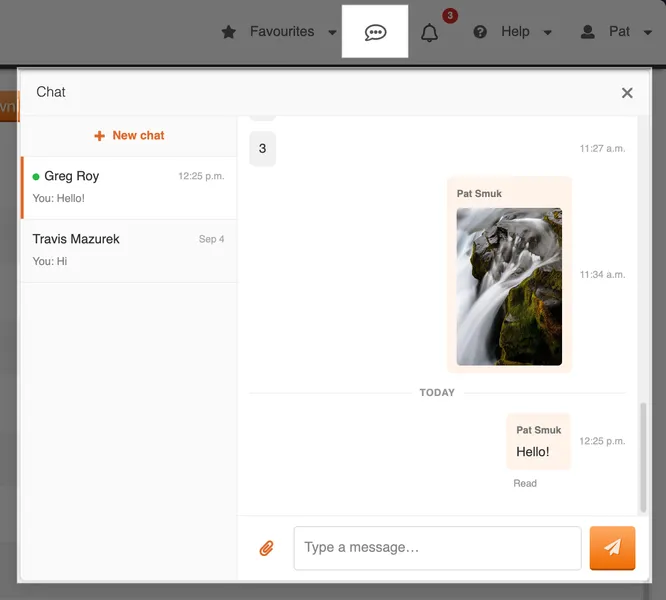
We’re bringing the chat experience from our mobile app to desktop with our brand new web chat client!
If any of your sites have chat enabled, you can now open the chat window via the new button in the top bar and chat with your team members:
If you’re using our website on your phone, we also have a new mobile web chat view available as well from the mobile menu:

If you do not see the chat button in the top bar of the website, or the bottom bar in the mobile app, your sites do not have chat enabled. If you are an administrator and would like to enable chat for any of your sites, please reach out to your MetricAid representative!
Even More Detailed Trade Warnings
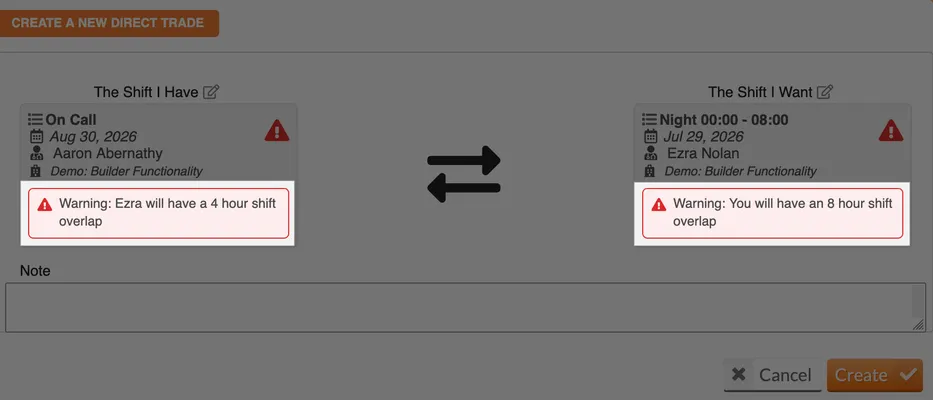
We’ve added even more detail to the trade warnings you receive in various parts of the app, including our direct trade proposal flow. All warnings now include the exact amount of time the conflict covers:
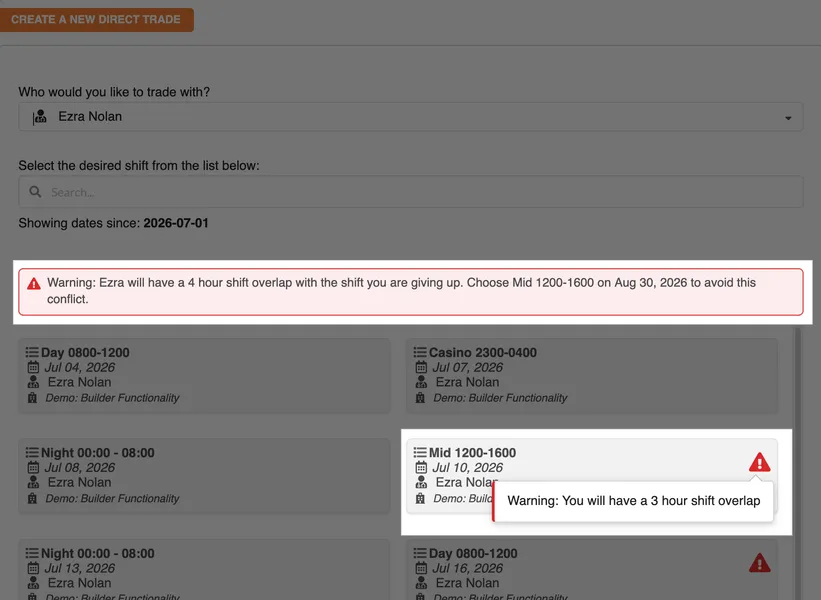
We’ve also added a new banner indicating when the provider you’ve chosen to trade with has a conflict with the shift you would like to give up:
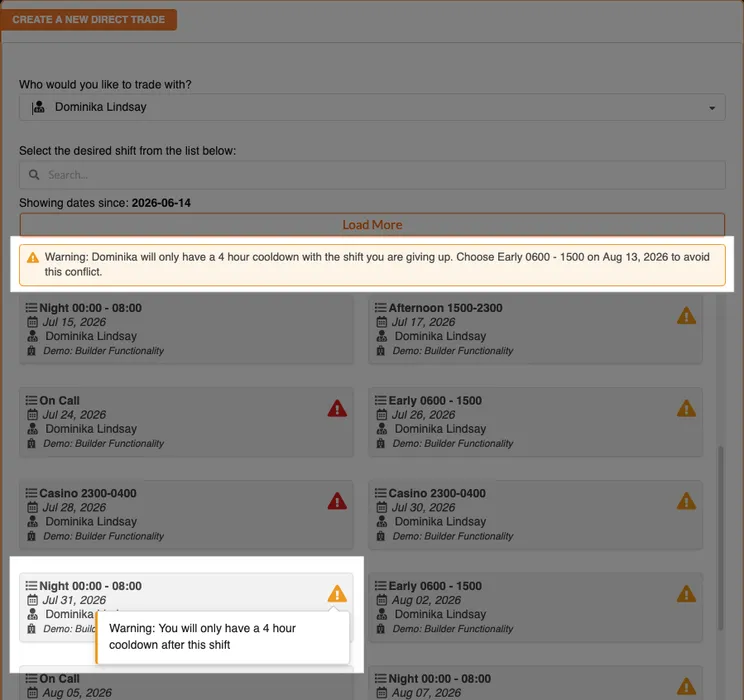
If the site has cooldown warnings enabled, we’ve also separated cooldown issues from shift overlaps, with cooldown conflicts now indicated with yellow warnings:
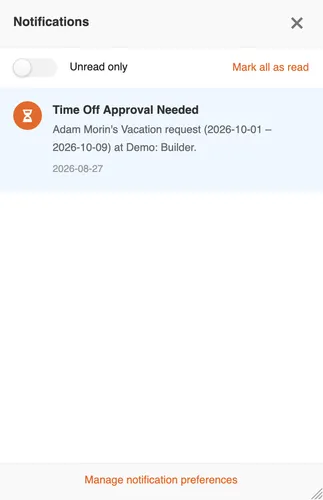
Mobile View For Notifications
We’ve improved the notifications experience when viewing your notifications on the website via a mobile device. It is now a full-screen view like the new chat view:
Questions? Comments?
We love hearing from you! Please reach out to support@metricaid.com if you have questions or feedback about this update.