
MetricAid Web Update - In-App Notifications
Here’s a quick update on the changes that have just launched on the MetricAid web app!
In-App Notifications
We have added a brand new in-app notifications system to the web app! Simply click the bell icon in the menu bar to open the notifications panel and see your latest updates:
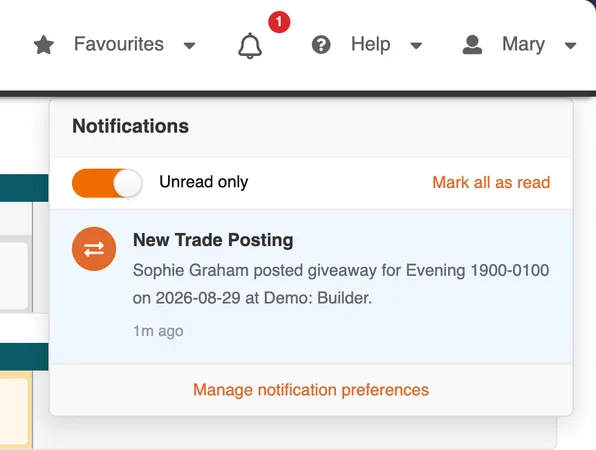
The link at the bottom of the panel will bring you to the new notifications preferences page where you can customize the categories of notifications you would like to receive:
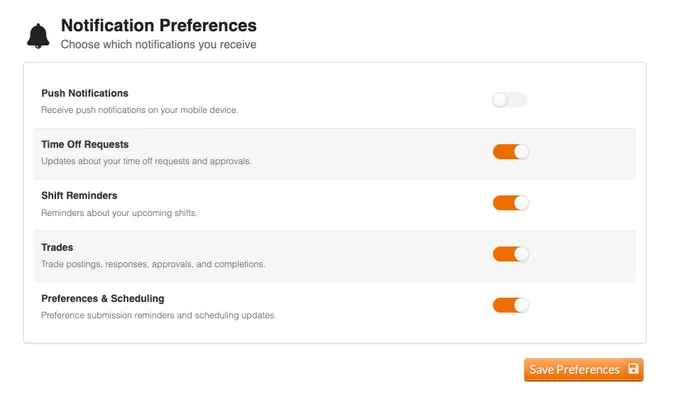
(Mobile push notifications are not yet ready and will be coming in a future update!)
Week and Month Schedule Views For Mobile Browsers
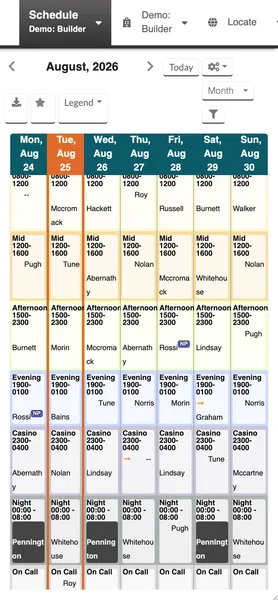
We have reworked the schedule view for mobile browsers to enable the week and month views on mobile, so you can now see more of your schedule even when away from the computer:
Trade Warnings Against Your Schedule
When proposing trades or viewing available trades in the marketplace, you were previously only warned if the shift you are giving up would create a conflict with the other provider’s schedule.
We have added warnings that appear if taking their shift would create a conflict in your own schedule, so you don’t need to manually cross-reference your schedule when browsing tradeable shifts.
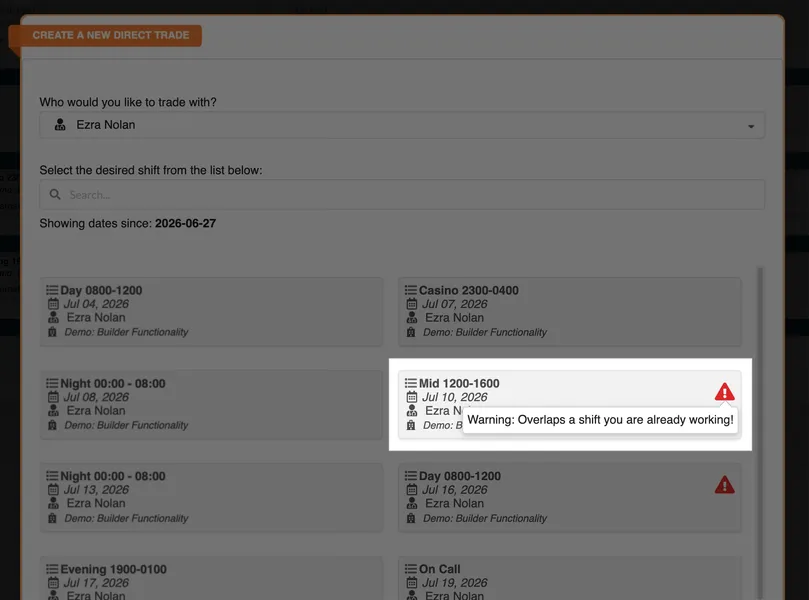
Further enhancements to these warnings are also coming soon to better distinguish between shift overlap vs. short cooldowns and provide more details about the conflict.
Reduced Email Notifications
Prior to this update, we often sent email notifications to you in response to your own actions, e.g. we would notify you if you:
- Posted a shift for trade or giveaway
- Responded to a shift available for trade
- Left a comment on a time-off request
- Canceled a time-off request
- And many more actions
With the exception of creating and editing time-off requests, you should no longer receive email notifications in response to your own actions. We want to ensure that every message we send to your inbox has value and is actionable.
The full history of shifts, trades, and time-off requests remains available within the app.
Questions? Comments?
We love hearing from you! Please reach out to support@metricaid.com if you have questions or feedback about this update.